A digital loyalty system for cafés and restaurants, feature by feature
LoyalTea lives in three places: the wallet on your customer's phone, the counter where your staff scan, and the web dashboard where you look after customer loyalty from your desk. This page walks through each one, including what it does not do.
The card lives in Apple Wallet and Google Wallet
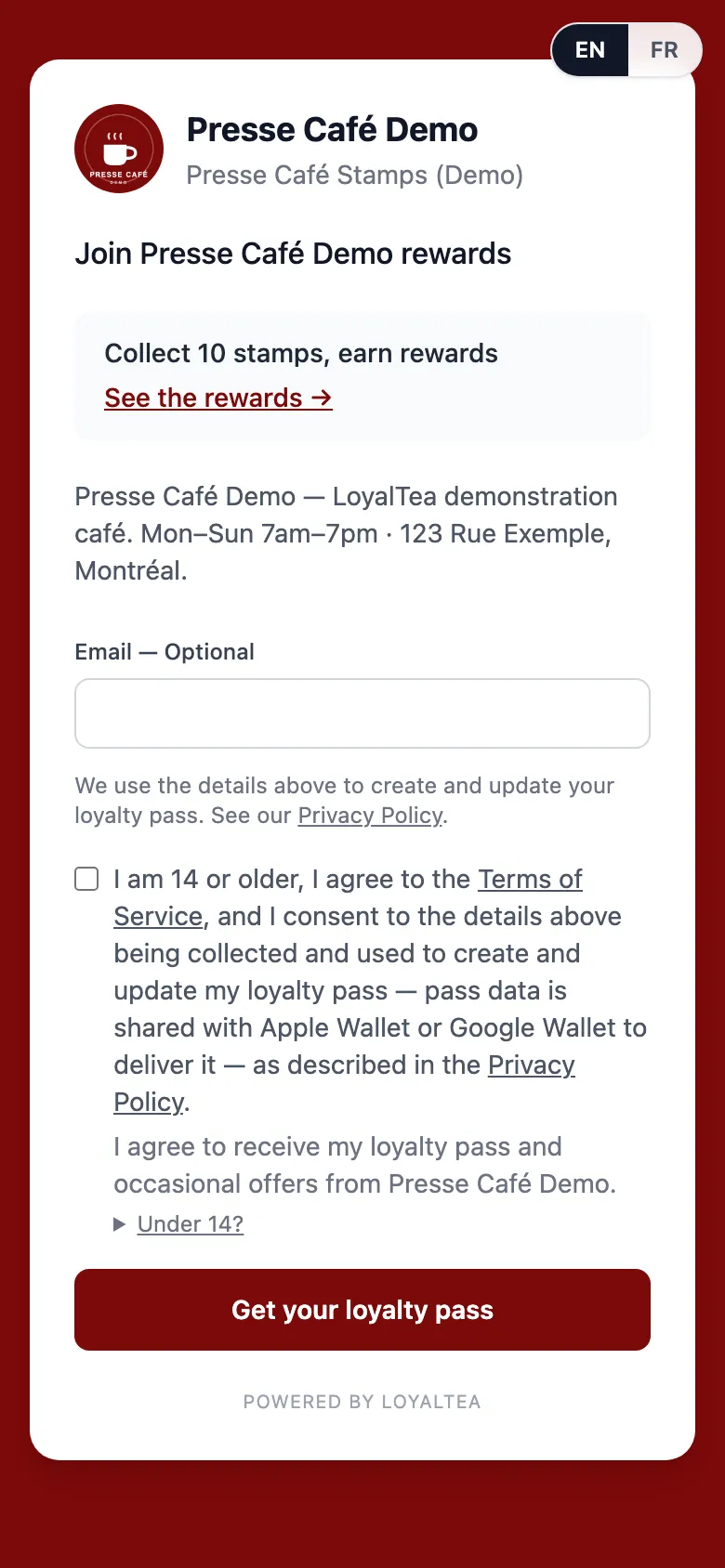
A customer joins by scanning your QR code and tapping Add to Wallet. There is no app to download and no account to create, and the card sits beside their payment cards, where they will find it again.
LoyalTea issues the passes itself, working with Apple and Google directly rather than through a pass vendor. When a customer earns, the stamps or points on their card update right away, and they claim a reward from their own rewards page.
They do need a phone with Apple Wallet or Google Wallet. A customer carrying neither cannot hold a LoyalTea card, and it is better to know that before launch.
At the counter: one scan, in seconds
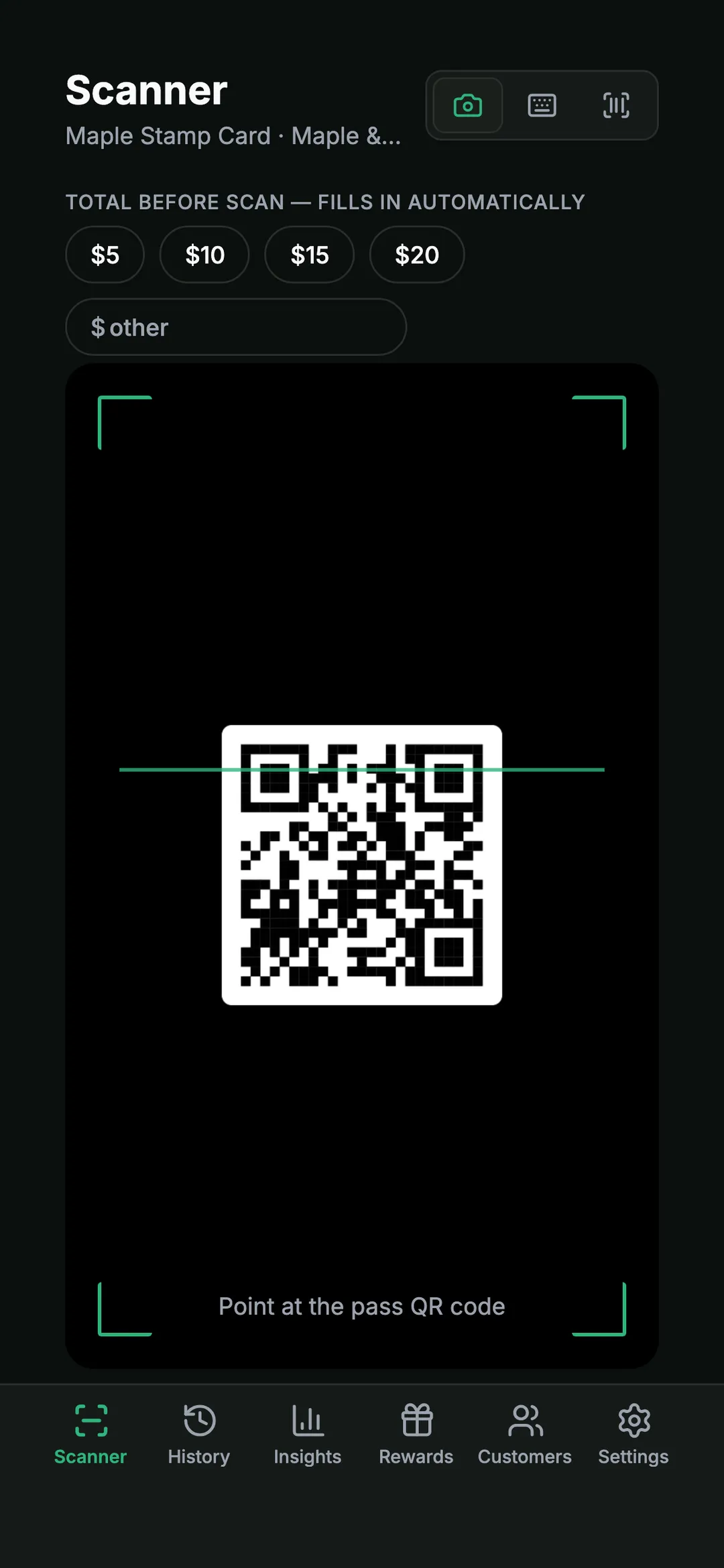
Staff use the LoyalTea Merchant app on any phone. They scan the card with the camera, type the pass code by hand, or use a plug-in USB scanner whose scans go through on their own. If the camera is unavailable, the app switches to typing.
Before anything is saved, the screen shows who the customer is and what the scan will do: earn, preview, confirm, and undo if it was a mistake. The same card scanned again and again in a short window is blocked, so a double scan at the rush does not turn into a free drink.
LoyalTea runs beside your till, not inside it. Nothing connects to your point of sale, and the bill is paid the way it always was.
Programs: stamps or points, built around what you sell
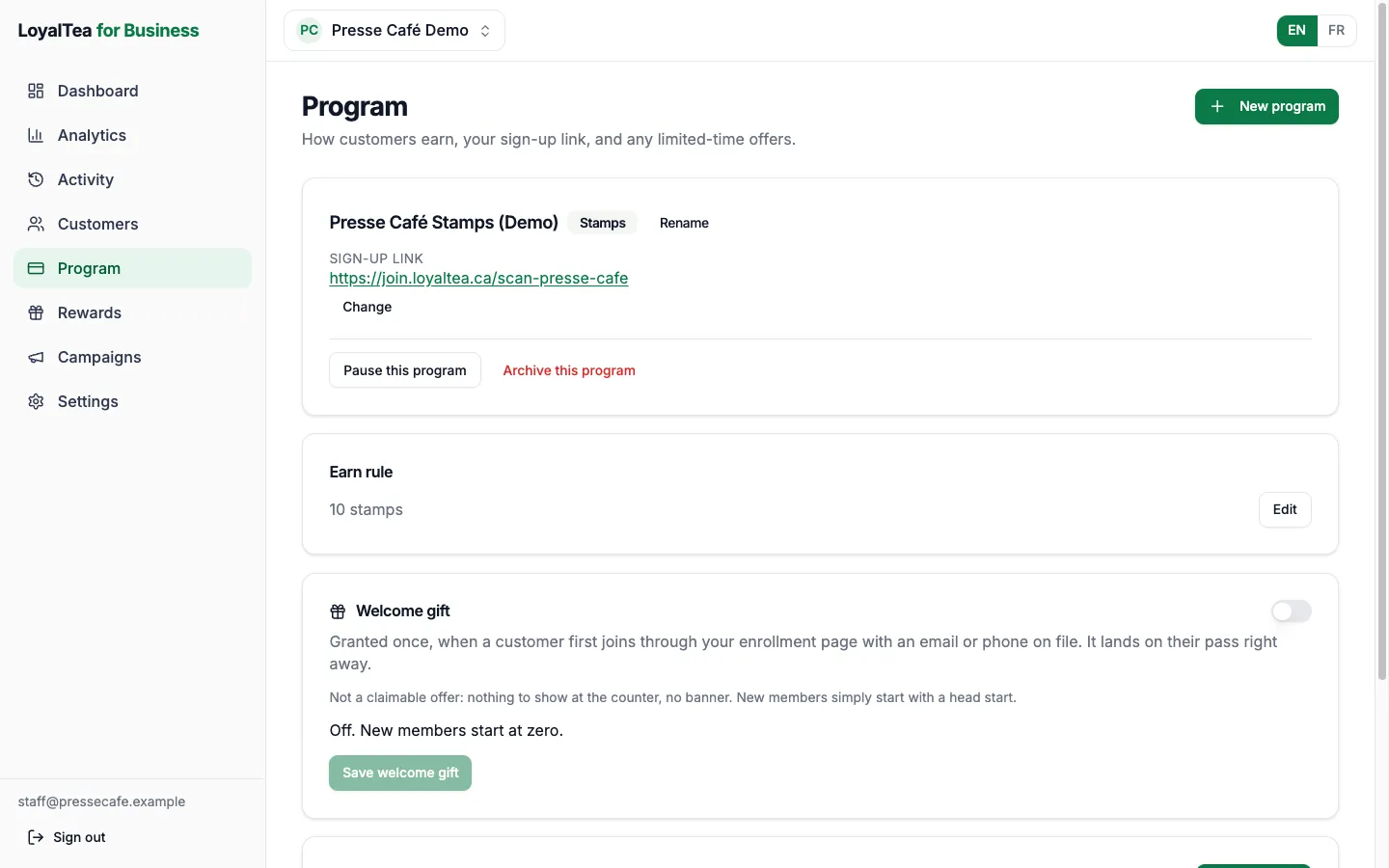
A program is the rule a customer earns by. Each one is a single kind, chosen when you create it.
- Stamps: a stamp per visit, counted towards a reward, and readable at a glance on the card.
- Points: earned on the amount of the bill, with staff entering it, or a fixed number per visit with a one-tap scan and nothing to type.
- A one-time offer: a card redeemed once, such as a welcome drink, that cannot be used again.
- A membership: every scan records a check-in, with no reward catalog.
- A welcome gift, if you turn it on: a head start in stamps or points for a customer who joins through your sign-up page with an email or phone number on file.
The kind cannot be changed once a program is created, because every scan is recorded against it. A different kind means a new program, and the old one keeps its history.
Rewards your customers can see before they earn them
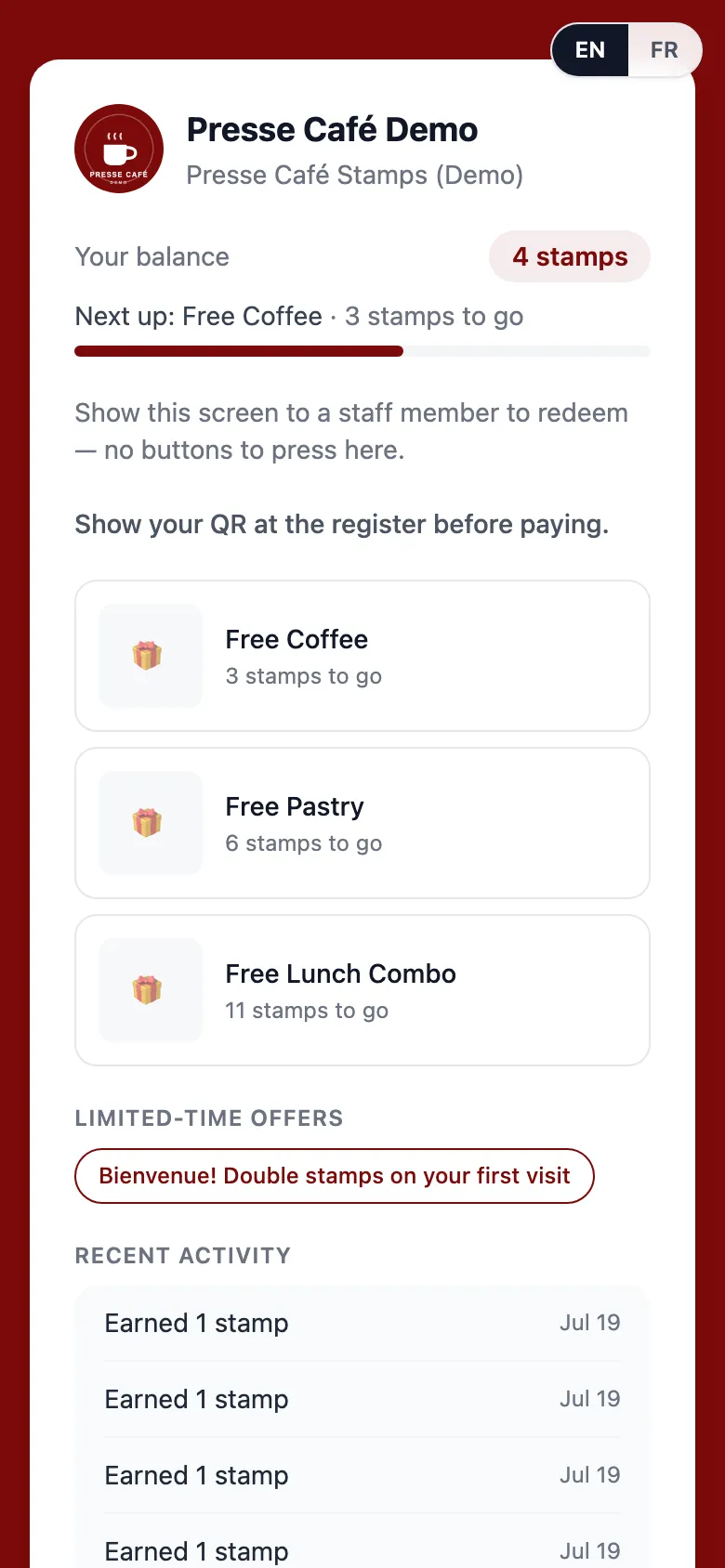
The reward catalog is the list a customer redeems from: a drink at the end of a full card, a pastry at a points threshold, a bag of beans. You name each reward, add a photo and a description, and group rewards into sections in the order you want them read.
When something runs out, mark it out of stock. It disappears from the customer's page and cannot be redeemed until you bring it back, so nobody comes in for a reward you cannot give. A preview shows the catalog as a customer sees it.
Customers redeem from their own rewards page, opened from the card, rather than from a coupon someone has to find.
Limited-time offers
An offer is a banner on your customers' rewards page for as long as you choose: bonus points this weekend, an extra stamp on Tuesdays, a free item, a discount. It shows as soon as its window opens, with no separate step to publish it.
An offer is a label for a perk your team gives at the counter. Claiming one records that it was used. It does not add points, add a stamp or change a price by itself.
If an offer has an end date, you can set up an automatic campaign that sends a last call shortly before it closes.
Wallet campaigns: a message on the card they already carry
Send a message straight to your customers' wallet card: once, on a schedule, or automatically.
A one-time message goes out once, right away or at a time you pick. A recurring one repeats on a schedule you set. An automatic one waits for something to happen to a customer, like getting close to a reward or not coming in for a while, and goes only to them. One already runs on every program: when a customer earns enough for a reward, their card tells them.
Your words appear on the card itself. Campaigns you schedule wait out your quiet hours, so a late send does not wake anyone up.
An activity record that only ever adds
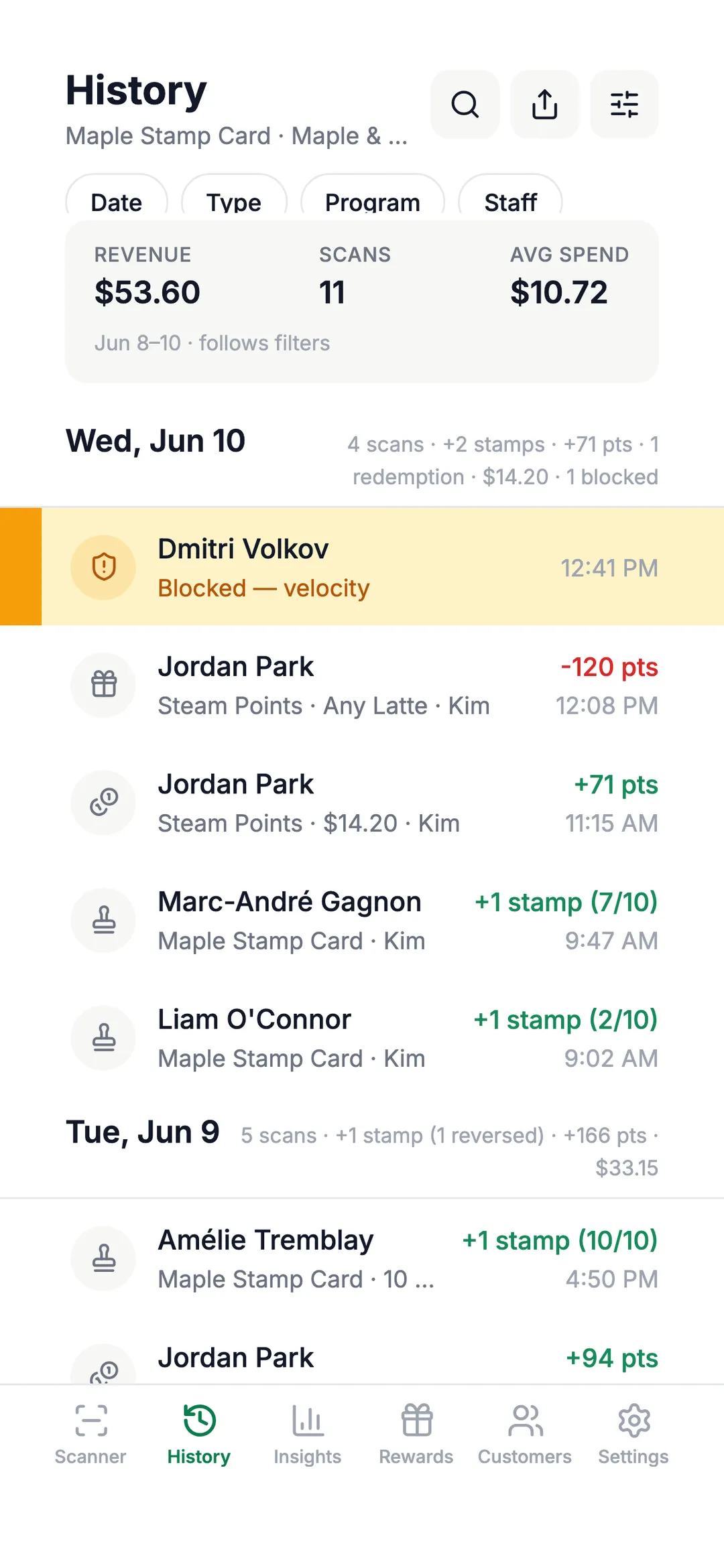
Every earn, redemption, reversal, adjustment and blocked scan becomes a ledger entry that is never edited afterwards.
- Each scan and correction carries the name of the staff member who made it.
- A mistake is reversed with a new entry, and the original stays in the ledger, marked reversed.
- The web dashboard shows the record as a feed you can filter.
- The feed exports to CSV with the date, time, type, customer, program, change, amount and staff member.
Balance adjustments made in the merchant app land here too, as adjustments, never as silent edits.
Customer retention analytics: see who comes back
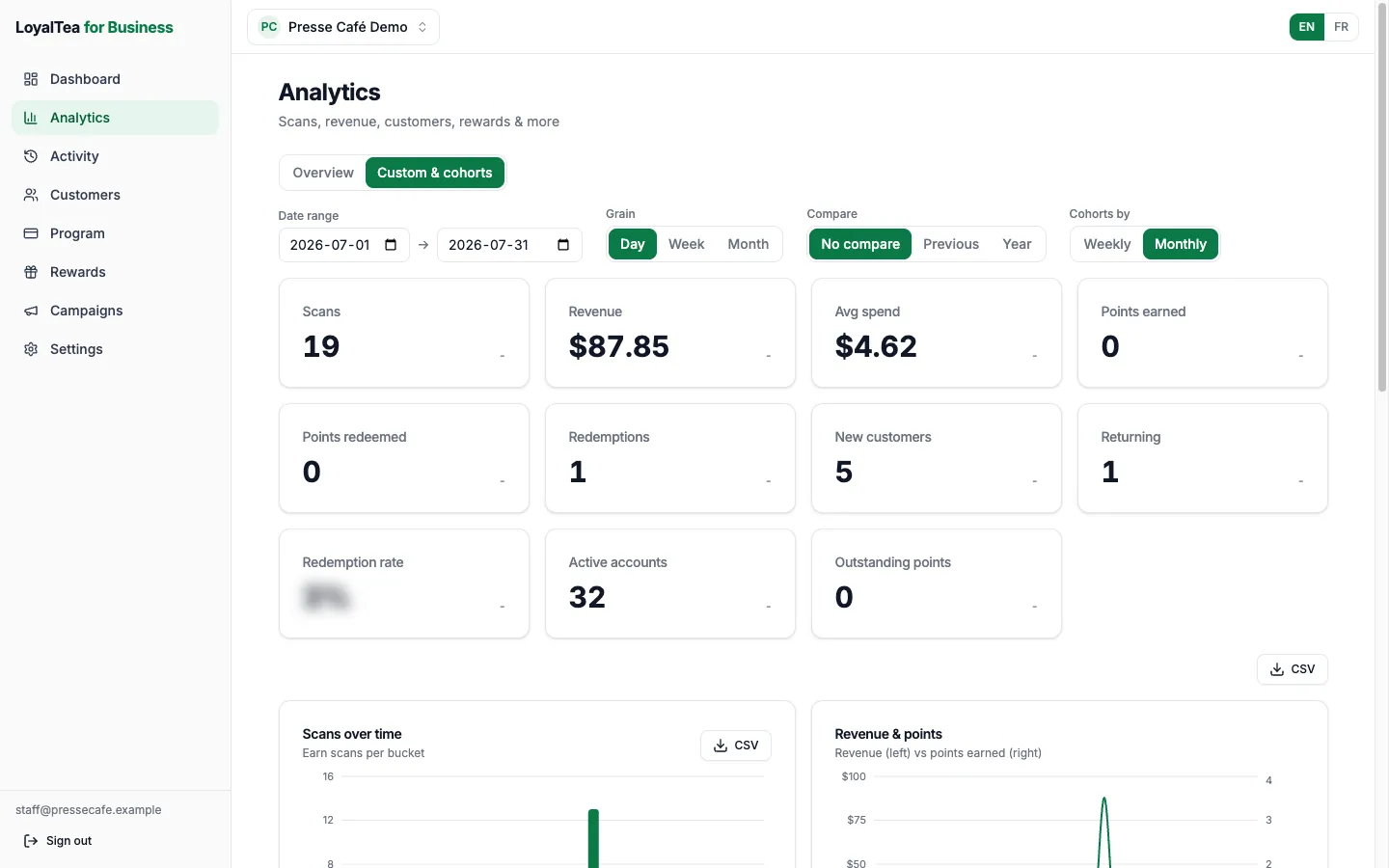
The web dashboard shows what happened at your counter over the range you choose: scans, your busiest hours, revenue and average spend, points earned against points redeemed, the rewards redeemed most, and new customers against returning ones.
For customer retention, a custom view groups customers by when they joined and shows how many came back afterwards, period by period. You can compare a period with the one before it or with the same period last year, and export it to CSV.
Revenue counts only what is recorded at the counter: a points scan earned on the bill records its amount, while stamp scans and fixed per-visit points scans usually record none.
Your customers, and a list that is yours
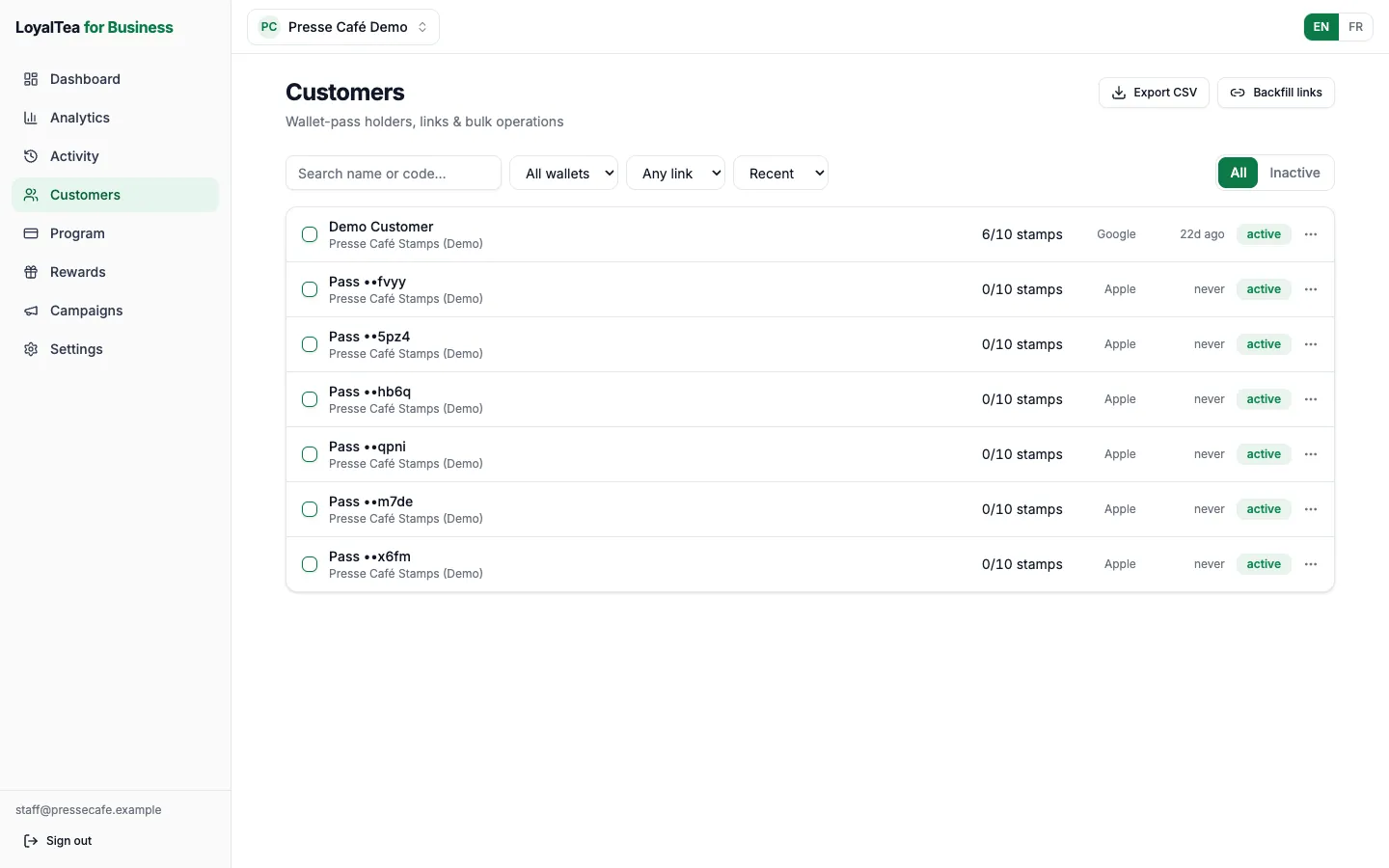
The web dashboard lists every customer holding one of your cards. Search by name or pass code, filter by wallet or by time since the last visit, issue, renew or cancel a customer's personal link to their rewards page, and issue or cancel links in bulk.
In the merchant app, staff can add a note or a tag to a customer, adjust a balance with an optional reason, and merge a duplicate card into the right one, balance and history included.
Your customer list is yours: download it yourself, any time, as a CSV from the web dashboard. Contact details appear only where a customer agreed to share them. If a customer asks to be erased, you remove their name and contact details, and their loyalty history stays in a form that no longer identifies them.
We set it up, then run it with you
We set your program and rewards up, launch it at your counter with your staff, and then run it for you: you tell us what you want, we make the changes. You keep full access to the merchant app and the web dashboard, and you can reach us whenever something needs to change.
What launch includes
Setup happens with you, and launch happens at your counter, rather than as a login handed over.
- Your program and rewards, built around what you sell.
- A card in your branding: your name and your colours in the customer's wallet.
- French copy for everything a customer reads.
- Printed counter cards with your QR code.
- Launch day at your counter: the merchant app installed on your staff's phones, and your staff walked through their first real scans.
Questions about the features
Can I run stamps and points at the same time?
Yes, as two programs. Each program is one kind, so a café can run stamps on drinks and points on the retail shelf side by side.
Does LoyalTea connect to my point of sale?
No. It runs beside your till: staff scan the card with the merchant app, and the bill is paid the way it always was.
Where do I see how the program is doing?
In the web dashboard, which shows scans, redemptions, new and returning customers, and customer retention over any range you pick.
What it costs today
We set everything up with you.
See the loyalty system at your own counter
Tell us what you sell and how often your regulars come back. Request access, and we will get in contact with you.
Ready when you are
New to LoyalTea? Request access and we'll set your program up with you. Already on board? Sign in with your business Google account.